
Music Recognition - Find Songs
yixiaoqingMusic & Audio
4.31.55K Reviews
- Version
- 16.2
- Installs
- 10.00M
- Age Rating
- Everyone
Screenshots
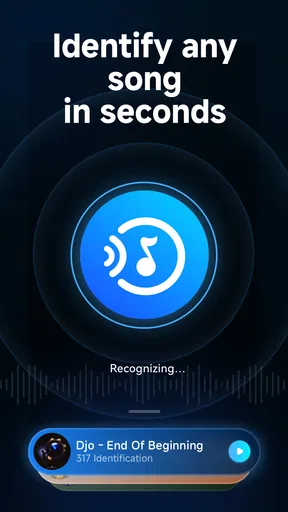
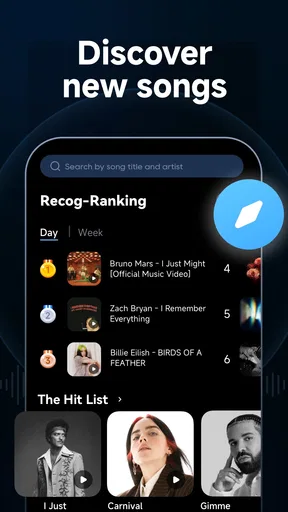
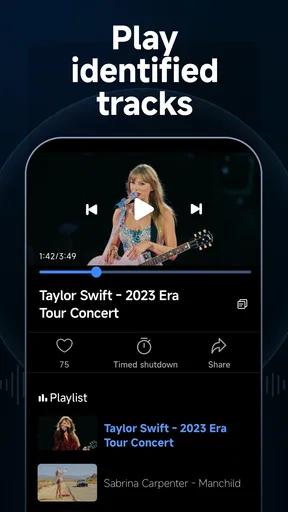
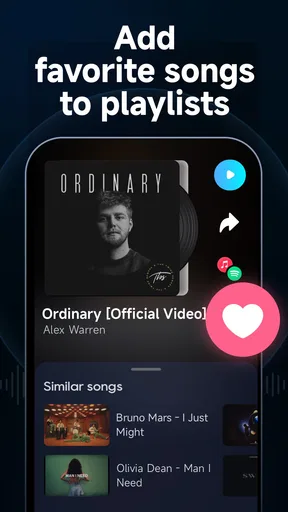
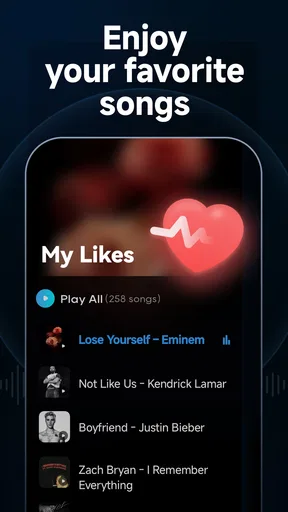
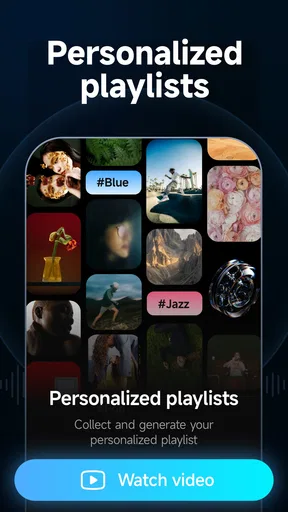
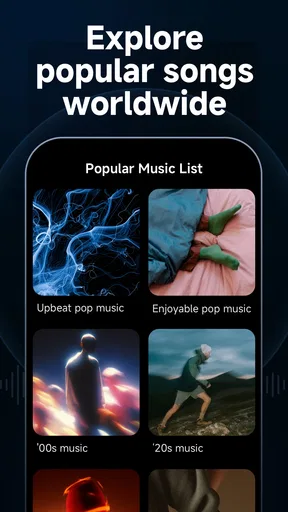
Our Review of Music Recognition - Find Songs
 Analysis by Appyee
I tested Music Recognition - Find Songs as a practical listening companion rather than treating it like a full streaming service. Its job is focused: when music is playing nearby and I do not know what it is, I use the app to try to identify it. That narrow purpose is also its main appeal. I am not asked to browse a huge catalog, build a social profile, or learn a complicated music library before getting started.
It belongs to the Music & Audio category, is free to install, and is suitable for Everyone. The app comes from yixiaoqing and has reached over ten million installs, with an average rating of 4.3 from around 184 thousand ratings. Those figures suggest that the basic idea is useful to a wide audience, although popularity alone does not guarantee that every recognition attempt will work in every environment.
My overall impression is that this is best viewed as a quick identification tool for everyday moments: a song in a café, a track in a shop, music on television, or something playing from another phone. It is less convincing for people who want a complete music discovery platform or a carefully designed listening experience. The most important question is not whether it can identify music at all, but whether its focused workflow fits the way you hear and search for songs.
How the app feels to use in different situations
When I use a recognition app, the setting matters as much as the song: a quiet kitchen, a shop soundtrack, and a crowded room each make for a different kind of attempt. I’ll look at how those situations shape the experience, then consider whether the app remains useful once identifying a track stops feeling new.
Readability and navigation during a quick search
The strongest part of the experience is the directness of the task. When I hear an unfamiliar track, I do not want to move through several unrelated sections. A recognition app should make the next action obvious, and this one is built around that expectation. The store describes it as a way to identify music playing around you, and in practical use that means the app makes sense when I open it with a specific question: “What song is this?”
That simplicity can help people who find crowded music apps tiring. Streaming services often place recommendations, playlists, subscriptions, artist pages, and promotional panels in front of the search function. Here, the purpose is easier to understand. I can approach it as a small utility instead of a destination that demands regular attention.
For readability, the most useful habit is to keep the phone steady and give the app a moment to listen before deciding that it has failed. In a noisy room, repeatedly tapping or moving between screens can make the process feel more confusing than it needs to be. I get better results by starting the recognition attempt once, placing the phone reasonably close to the sound source, and waiting through a clear section of the song.
This is also a helpful workflow for someone who is not comfortable with music terminology. I do not need to know the singer, genre, language, or approximate release period before trying. That matters for older listeners, casual listeners, and anyone who has heard a song only briefly. The app turns recognition into an action based on sound rather than memory.
There is a trade-off in this focused design. If I want to compare several versions of a song, manage a personal collection, or explore related artists, I still need another service. This app answers the identification question, but it should not be mistaken for a replacement for a streaming library. People who prefer one app for recognition, playback, playlists, and discovery may find the experience limited.
Motor and sensory considerations
A recognition tool can be useful for people with different abilities because the central task does not depend on typing a precise title. Someone with limited dexterity may find it easier to begin a listening attempt than to enter an artist name on a small keyboard. Someone who struggles to remember lyrics can also benefit because the music itself supplies the clue.
At the same time, the process still relies on seeing the screen and making a deliberate touch. If a person has difficulty with small controls, tremor, or one-handed phone use, the practical experience may depend heavily on the device’s own display settings and touch behavior. I would test the app with larger system text, increased display scaling, and the phone’s built-in accessibility tools before deciding whether it is comfortable for regular use.
For users with hearing loss, the app has an obvious limitation: recognition depends on the phone capturing enough of the music. If the listener cannot easily hear the track, that does not automatically mean the microphone will receive a clean signal. A song may be audible through vibration, visual cues, or a nearby speaker while still being difficult for the phone to isolate. This makes the app more useful as a tool operated near a clear audio source than as a solution for every hearing situation.
People who are sensitive to sudden sound should also think about where the phone is placed and what is playing around it. The app is intended to listen to the environment, so I would avoid treating it as something to leave running casually in a busy room. A short, intentional attempt is more comfortable than repeatedly activating it while several conversations and audio sources compete nearby.
For users who rely on screen readers or other assistive technologies, the most important practical test is whether the controls and result information are announced clearly on their particular phone. I would not assume that a simple-looking interface automatically provides a perfect spoken experience. The app’s focused purpose is encouraging, but real accessibility depends on how its labels, buttons, and recognition results interact with the operating system.
Situational access: where it earns a place
My favorite use case is an ordinary one. Imagine hearing a song in a small restaurant while talking with friends. I may catch only the chorus, and asking the staff may be awkward or impossible. I can open the app, hold the phone where the music is reasonably clear, and try to identify the track. If it succeeds, I have a useful starting point for finding it later instead of relying on a half-remembered lyric.
It also works as a practical aid when music comes from sources that do not offer convenient search. A television program, a store’s sound system, a passing car, or another person’s speaker can all create the same problem: the music is present, but its title is not displayed. In these moments, a dedicated recognition app is faster than opening a streaming service and guessing words into its search field.
Another useful situation is language uncertainty. If the song is in a language I do not speak, lyric search becomes much less reliable. Recognition based on the audio can skip that barrier. This is especially helpful when the track has a short vocal section, unusual spelling, or lyrics that are impossible to distinguish in a noisy place.
There are sensible ways to improve the odds. I try to recognize during a section with a clear melody rather than during applause, conversation, or a spoken introduction. I also avoid covering the phone’s microphone and move closer to the speaker without placing the device directly against it. These are small changes, but they make a focused recognition app more dependable in real life.
For people with limited mobility, the best setup may be preparing the phone before entering a situation where a song is likely to appear. Keeping the device accessible, using familiar system shortcuts, and avoiding a crowded case around the microphone can reduce unnecessary handling. The app cannot remove every physical step, but its single-purpose workflow may be easier than navigating a larger music platform.
It is less suitable in loud public spaces where several sounds overlap. A concert crowd, a busy street, or a room with multiple speakers can make any recognition attempt uncertain. I would also skip it when the song is extremely quiet, heavily interrupted, or heard only through a poor-quality recording. In those cases, asking someone nearby, checking the program information, or using a lyric-based search later may be more effective.
What version and pricing mean in daily use
The current version is 16.2, and the minimum operating system is Android 7.0. That makes the app relevant to people who keep an older Android phone rather than upgrading frequently. Compatibility with an older system can be valuable for users who depend on a familiar device, especially if changing phones would create new accessibility or motor challenges.
The app itself is free, but in-app purchases range from $2.99 to $199.99 per item. I would pay attention to the exact purchase screen before confirming anything, particularly if I am installing it for a child, an older family member, or someone who may tap through prompts quickly. The Everyone age rating makes the app broadly approachable, but age suitability and purchase awareness are separate issues.
For a person who only needs occasional song identification, the free entry point is a sensible way to test whether the app works well with their phone, surroundings, and preferred accessibility settings. I would not commit to optional spending until I had tried several realistic situations: quiet indoor music, a television speaker, and a moderately noisy room. Recognition quality is personal because microphone placement, background sound, and the listener’s environment vary so much.
Compared with the usual alternatives, this app has a simpler purpose than a streaming service’s search box and a more direct approach than manually searching lyrics. A streaming app is better once I know the title and want to listen, save, or share it. A browser search is better when I remember a distinctive lyric or visual detail. Music Recognition - Find Songs is most useful in the gap between hearing something and knowing what to type.
Remaining barriers and realistic limitations
The first barrier is environmental sound. Recognition is not magic, and the app cannot create a clean signal from a chaotic room. People who frequently listen in crowded places may experience more failed or uncertain attempts than someone who mainly hears music at home. That is not a reason to dismiss the app, but it is a reason to judge it by the situations in which you actually plan to use it.
The second barrier is the need for a clear result that can be acted on. Identifying a song is only the first step. If I want to play the track, check its lyrics, learn about the artist, or add it to a playlist, I may need to move to another app. That extra transition is minor for occasional use, but it becomes noticeable for people who expect a complete end-to-end music workflow.
A third issue is that a recognition attempt can be stressful for users who need more time to orient themselves. Someone with cognitive fatigue may prefer a tool with very predictable feedback and minimal interruptions. I would practice with a familiar song at home first, then use it in public. That preparation makes it easier to distinguish a recognition problem from a navigation problem.
There is also a privacy-related consideration in any app that listens to surrounding audio. I would use it intentionally rather than leaving it active without a reason, and I would be mindful of conversations near the phone. The practical rule is simple: start the attempt for the music, stop when the task is finished, and avoid using it in situations where other people reasonably expect not to be recorded or analyzed by a device.
People who need highly specialized accessibility support should evaluate the app on their own handset before relying on it. System-level tools may improve text size, contrast, touch response, or spoken feedback, but those adjustments cannot guarantee that every part of the experience will suit every user. The app’s narrow mission is a strength, yet a narrow mission does not automatically equal complete accessibility.
Who should use it, and who should choose something else
I would recommend this app to casual listeners, travelers, students, families, and anyone who often hears music without seeing its title. It is particularly appealing if typing lyrics is difficult, if the song is in an unfamiliar language, or if you want a quick answer before the moment disappears. Its free installation also makes experimentation straightforward, provided you review any optional purchase prompt carefully.
I would be more cautious recommending it to someone whose main goal is music playback. If you want offline listening, curated playlists, artist discovery, or a single place to manage a personal library, a conventional streaming app is the better primary tool. This app can sit beside that service, but it does not replace the broader experience.
I would also suggest another method for people who mainly remember words rather than melodies. A lyric search can outperform audio recognition when the track is no longer playing, when the recording is too quiet, or when the listener remembers a distinctive line. The right choice depends on the clue available: use this app for live surrounding music, and use text search when memory supplies the strongest lead.
One non-obvious advantage is that it reduces the pressure to ask strangers for help. That matters to shy users, people communicating in a different language, and anyone who finds public interactions tiring. Another is that it can support memory-building: after identifying a song, I can note the title immediately instead of trusting myself to remember it until later. A third is that testing it at home can reveal whether my phone placement and accessibility settings are comfortable before I need the tool unexpectedly.
My inclusive verdict
Music Recognition - Find Songs is a focused, approachable app with a clear place in an Android music toolkit. I like it most when a track is playing now, the title is unavailable, and I need a low-effort way to investigate. Its direct purpose can reduce reading, typing, and navigation demands compared with a full music platform, which gives it real value across different abilities and everyday contexts.
Still, I would not present it as universally effortless. Background noise, microphone position, hearing circumstances, screen interaction, and the need to switch to another service after identification can all affect the experience. Users who depend on screen readers, enlarged controls, or alternative touch settings should try it with those tools enabled rather than relying on assumptions based on the app’s simple concept.
With those qualifications, I think the app is worth trying if you regularly ask, “What song is that?” It is free, rated for Everyone, and supported on Android versions beginning with 7.0. The developer is yixiaoqing, and the app’s strong adoption shows that the problem it addresses is familiar to many people. My recommendation is to treat it as a quick bridge from unknown music to a known title, not as a replacement for your main player, search engine, or accessibility setup.
Verdict
Strengths of Music Recognition - Find Songs
- Identifies songs quickly, even from short audio clips.
- Simple interface makes recognition easy for first-time users.
- Provides direct links to listen to identified tracks.
- Useful for discovering unfamiliar music in public places.
- Recognition history helps you revisit previously found songs.
Limitations of Music Recognition - Find Songs
- Results can be inaccurate with loud background noise.
- Some features may require an internet connection.
- Song identification may take longer on slower devices.
- Ads can interrupt the experience for free users.
- Less popular or regional tracks may not be recognized.
Similar Picks in This Category
View All
YouTube Music
Google LLC4.4

Samsung Music
Samsung Electronics Co., Ltd.3.8

Spotify: Music and Podcasts
Spotify AB4.3

JioSaavn - Music & Podcasts
Saavn Media Limited4.3

Lark Player:Music Player & MP3
Lark Player Studio - Music, MP3 & Video Player4.6

StarMaker: Sing Karaoke Songs
SKYWORK AI PTE. LTD.4.3
Frequently Asked Questions
What is Music Recognition - Find Songs used for?
Music Recognition - Find Songs is designed to identify songs playing around you. When you hear an unfamiliar track in a café, on the radio, in a video, or at a party, you can open the app and let it listen for a few seconds. It typically returns the song title and artist, helping you discover music quickly instead of searching manually through lyrics or descriptions.
How accurate is Music Recognition - Find Songs?
The app generally works best when the music is clear and loud enough for the microphone to capture, especially with commercially released songs. Recognition may take longer or fail when there is heavy background noise, live performance audio, a remix, a small independent release, or people talking over the track. Results can also depend on your internet connection and the size of the app’s music database.
Does Music Recognition - Find Songs require an internet connection?
In most situations, an internet connection is needed because the recorded audio sample is compared with an online music database. You may be able to open the app and start listening while offline, but identification usually cannot be completed without mobile data or Wi-Fi. If you are concerned about data usage, Wi-Fi is preferable, although a short recognition attempt normally uses only a modest amount of data.
Does the app record or save conversations while identifying music?
Music Recognition - Find Songs needs microphone access to hear the track, but that permission does not automatically mean it should record everything continuously. Before using it, review the permission request and the app’s privacy policy to understand how audio samples are handled. It is sensible to stop recognition after receiving a result and disable microphone access later if you no longer use the feature.
Can I listen to or save the identified songs directly in the app?
The main purpose of Music Recognition - Find Songs is identifying music, so playback and saving options may depend on the version of the app and any connected music services. After a successful result, you may receive links or shortcuts to find the track on supported streaming platforms. Availability can vary by country, song licensing, device, and whether you have the required streaming app installed.
